
Platform Fundamentals
About
Paratira is a Service Provider Tool that translates data into action to improve IT environments.
By using data to identify actions that can improve IT environments, Service Providers and Customers can work together through a transparent interface to mitigate risks, reconfigure assets back to optimal settings, avoid downtime and more.
Getting Started with Demo Data
Your Paratira Representative will setup a custom profile for you and add the demo profile "Contoso MSP".
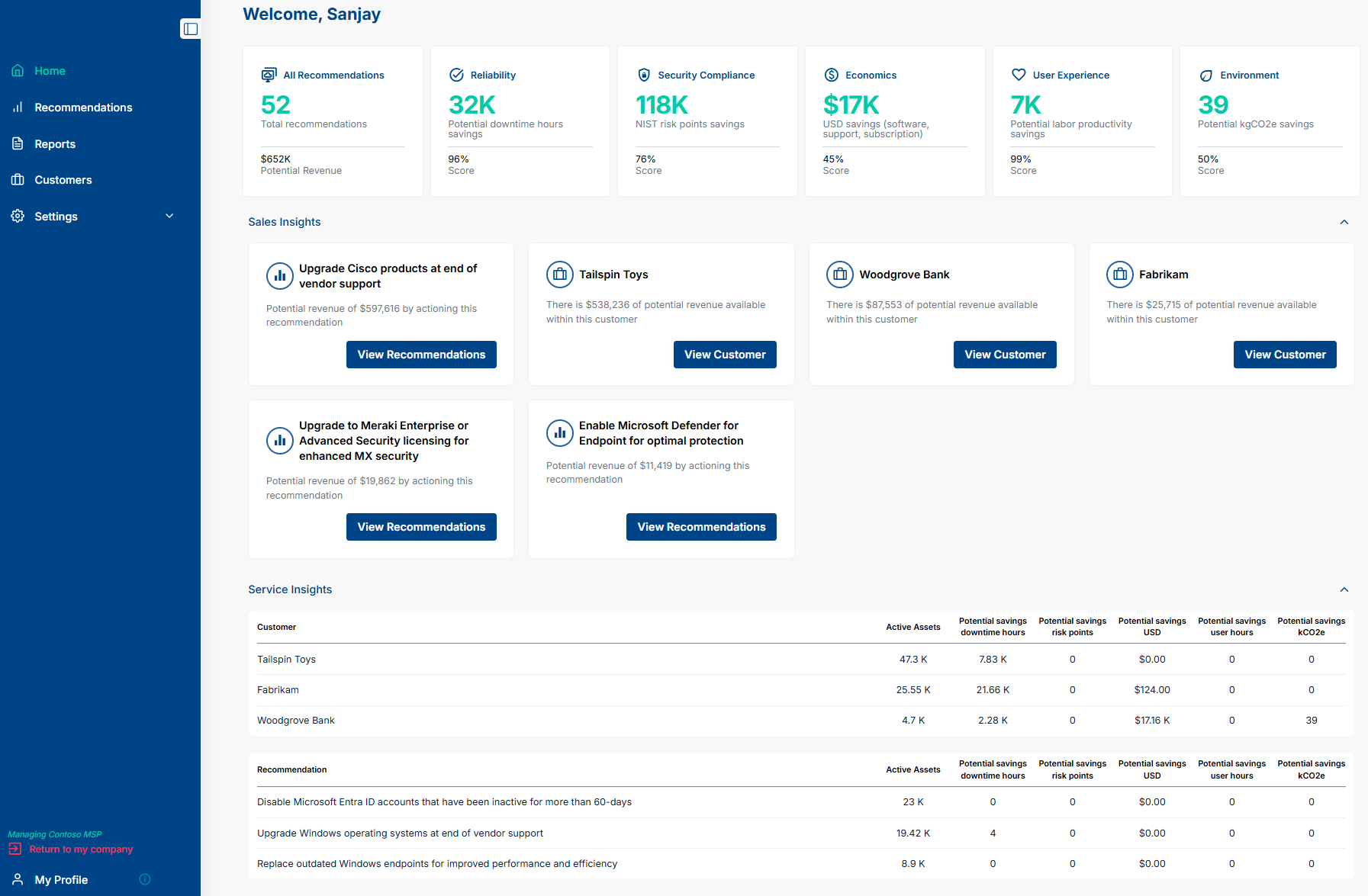
You can explore the Platform using the Contoso MSP demo data set. Below is a screenshot of the Dashboard/Home Tab:
Customer Experience
- Sales Demonstration: Paratira Representative presents the value of the platform, understand your use case, understand your current internal processes and articulate the value of the platform for your circumstances
- License Agreement: Formal agreement to use the platform
- Customer Success Manager and Onboarding: Paratira Representative who is responsible for unlocking platform value for your business and to work with your key staff to assist with change management and support
- Ongoing Support and Development: The Platform will continue to develop new features and enhancements which will be regularly communicated to you
Navigation
- Home: Overview of Potential Value, Top Sales Insights and Top Service Insights
- Recommendations: A list of actions to improve customer environments
- Reports: The space to turn data into customer-facing actionable reports
- Customers: Customer management (for service providers)
- Settings: Configuration of customer details: Roles, Users, Connectors & Billing
- My Profile: Organization specific settings
Impersonation
A key concept in the Paratira Platform is impersonation.
There are 2 views in the platform, a Services Provider view and a Customer view.
Customer users can only log into the customer view.
Services Provider users can see the Services Provider view and also use the impersonation function to see the Customer view.
The screenshot below illustrates the 3 dots to show various options for the customer profile including the "Manage" option which utilises the impersonation function so the Services Provider user see the Customer view:
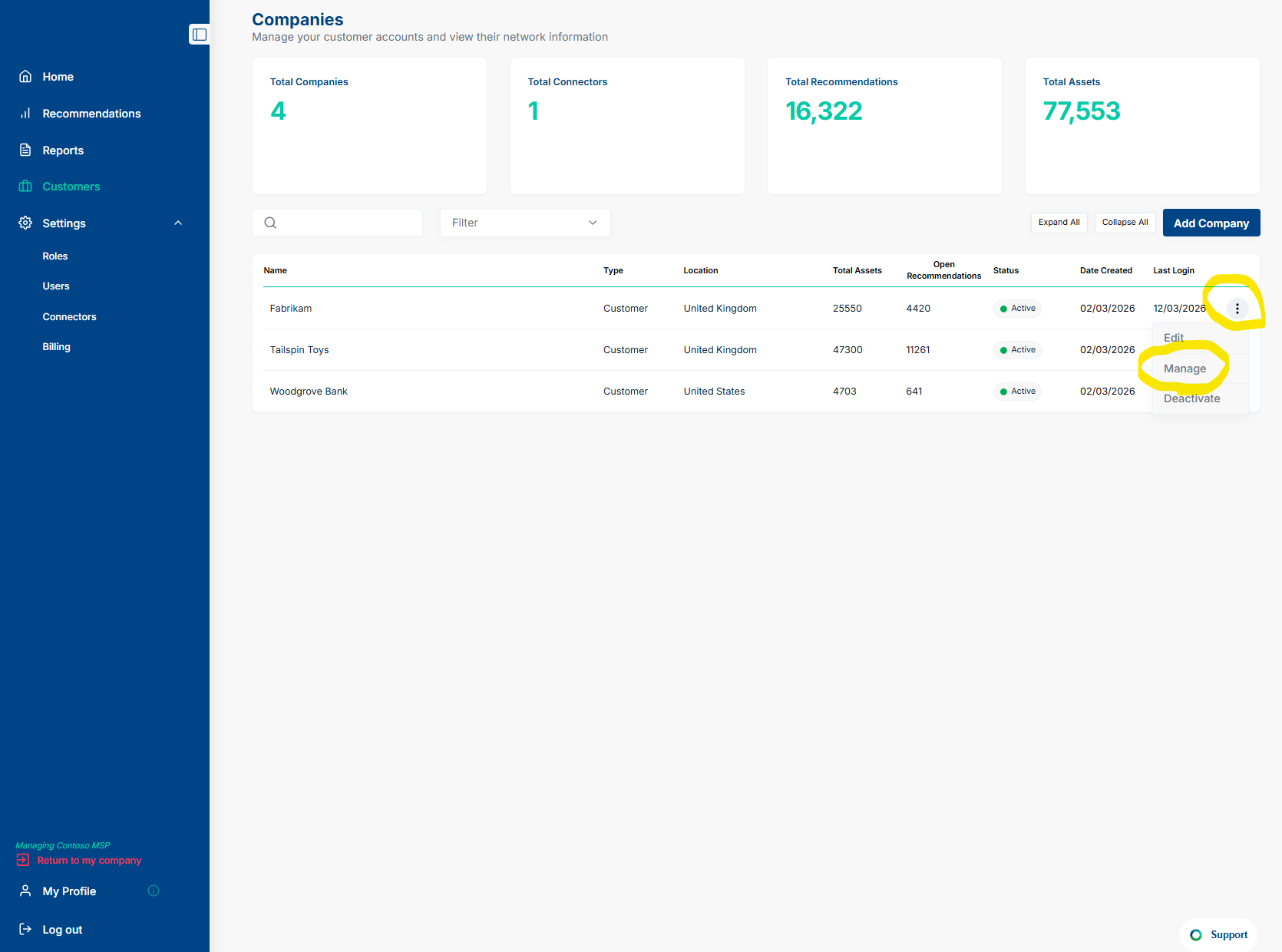
To exit out of the Customer view, Service Provider users can use the Red Text Link in the bottom left-hand corner to revert back to the Services Provider view from the Customer view.
For additional assistance, contact sanjay.subramaniam@paratira.ai