
Setting Up Your First Customer
How to Setup a Customer Profile
Step 1: Access Customers Tab
Select the Customers tab on the left hand navigation panel.
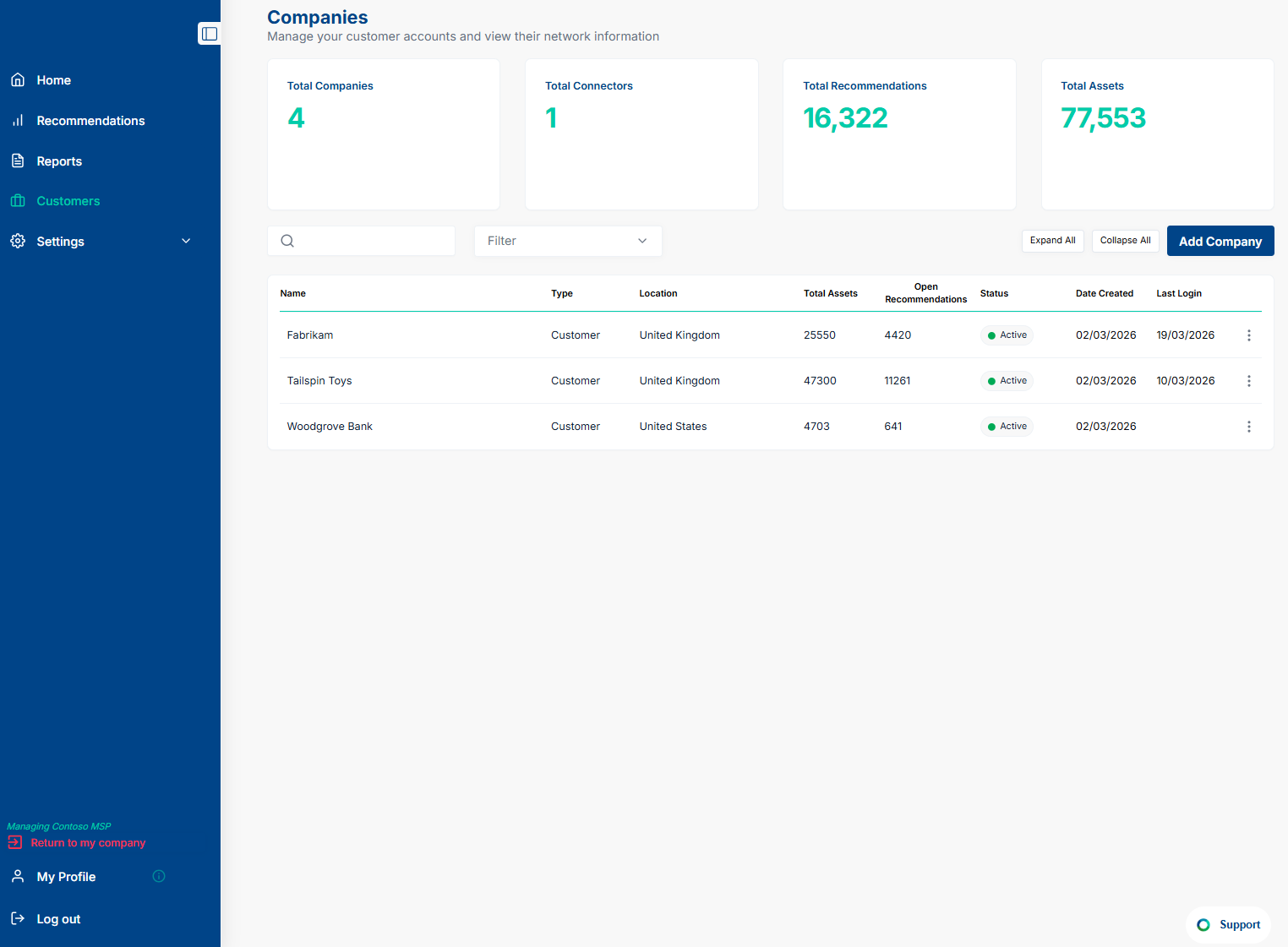
Step 2: Use Add Company Function
Click on Add Company, Enter the details and Click on Save changes.
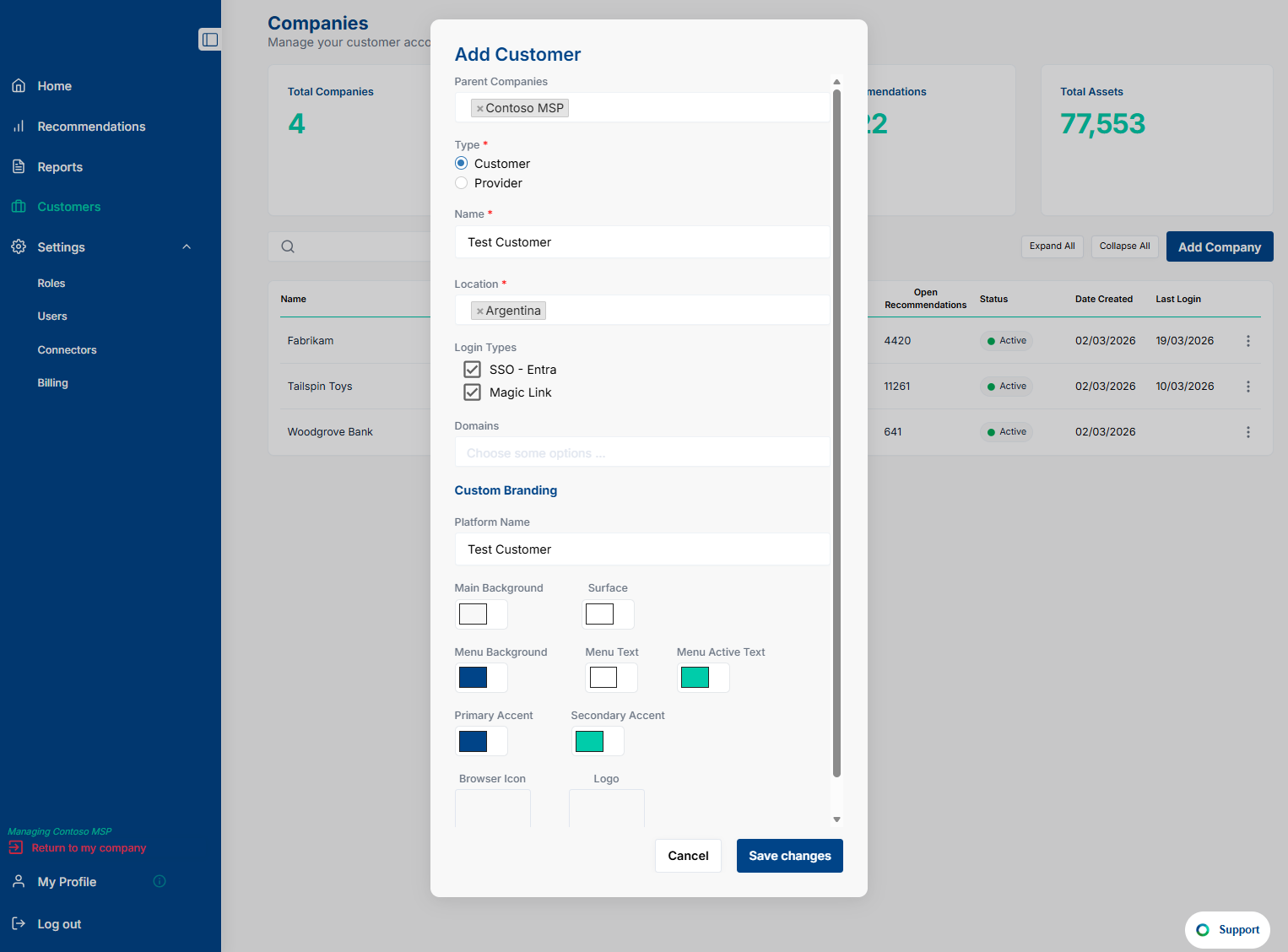
Step 3: Success
Congratulations. You will have successfully added your first customer.
Types of Data Connectors
The Paratira platform collects information from vendor portals using APIs. This process within the platform is called setting up a Data Connector. The platform will de-duplicate data into a centralized asset table and then generate recommendations.
The 2 types of Data Connectors are Provider Connectors and Customer Connectors.
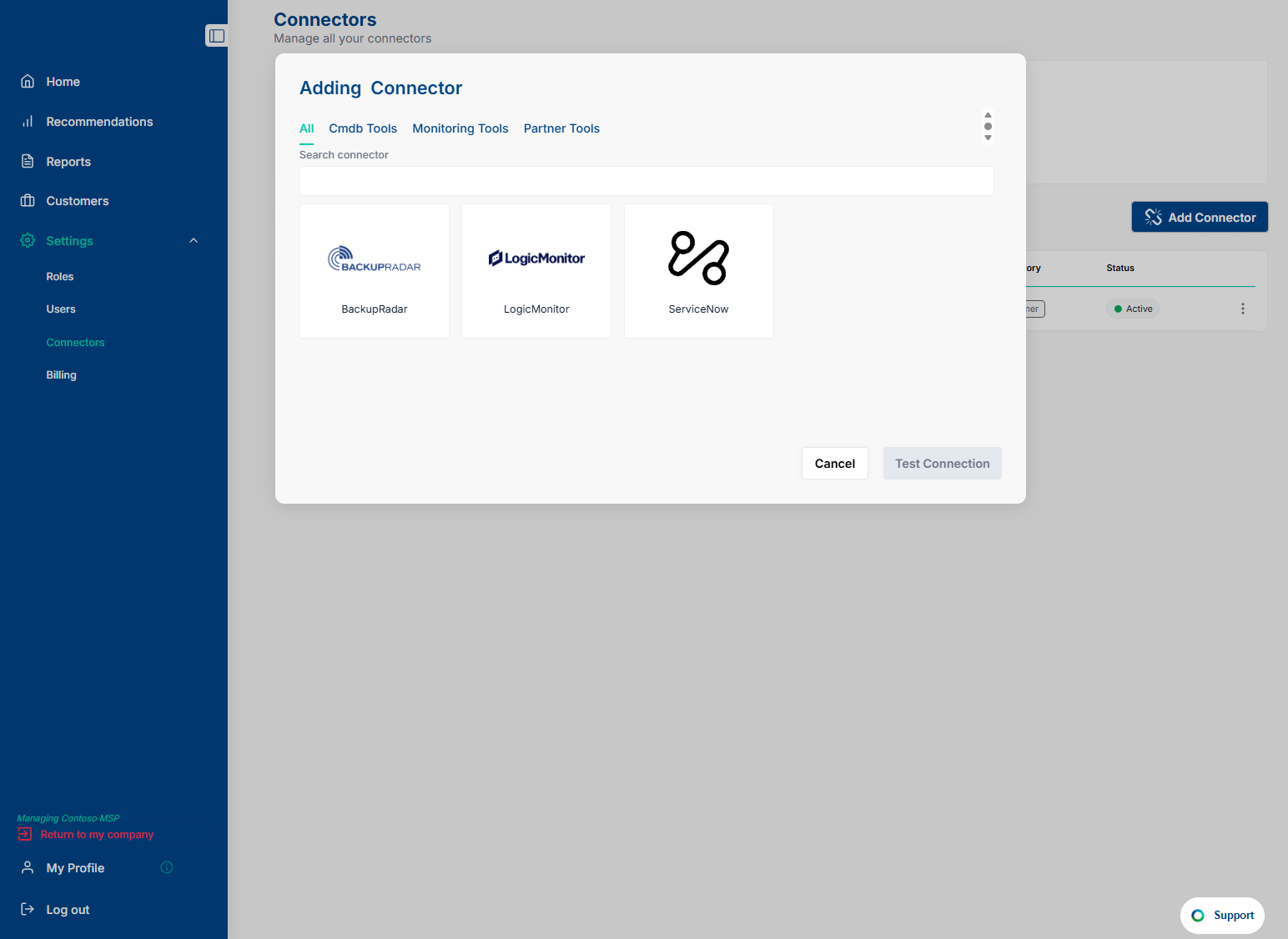
Provider Connectors link a single data source to multiple customer profiles. They can be accessed by Service Provider Users but Customer Users cannot access Provider Connectors.
The screenshot below illustrates a Service Provider adding a Single Data Source to map to multiple customer profiles:
Customer Connectors link a single data source to a single customer profile. They can be accessed by Service Provider Users using the impersonation feature or they can be accessed by Customer Users.
The screenshot below illustrates a Customer or Service Provider using the impersonation feature as a customer, adding a Single Data Source to link to the Customer Profile: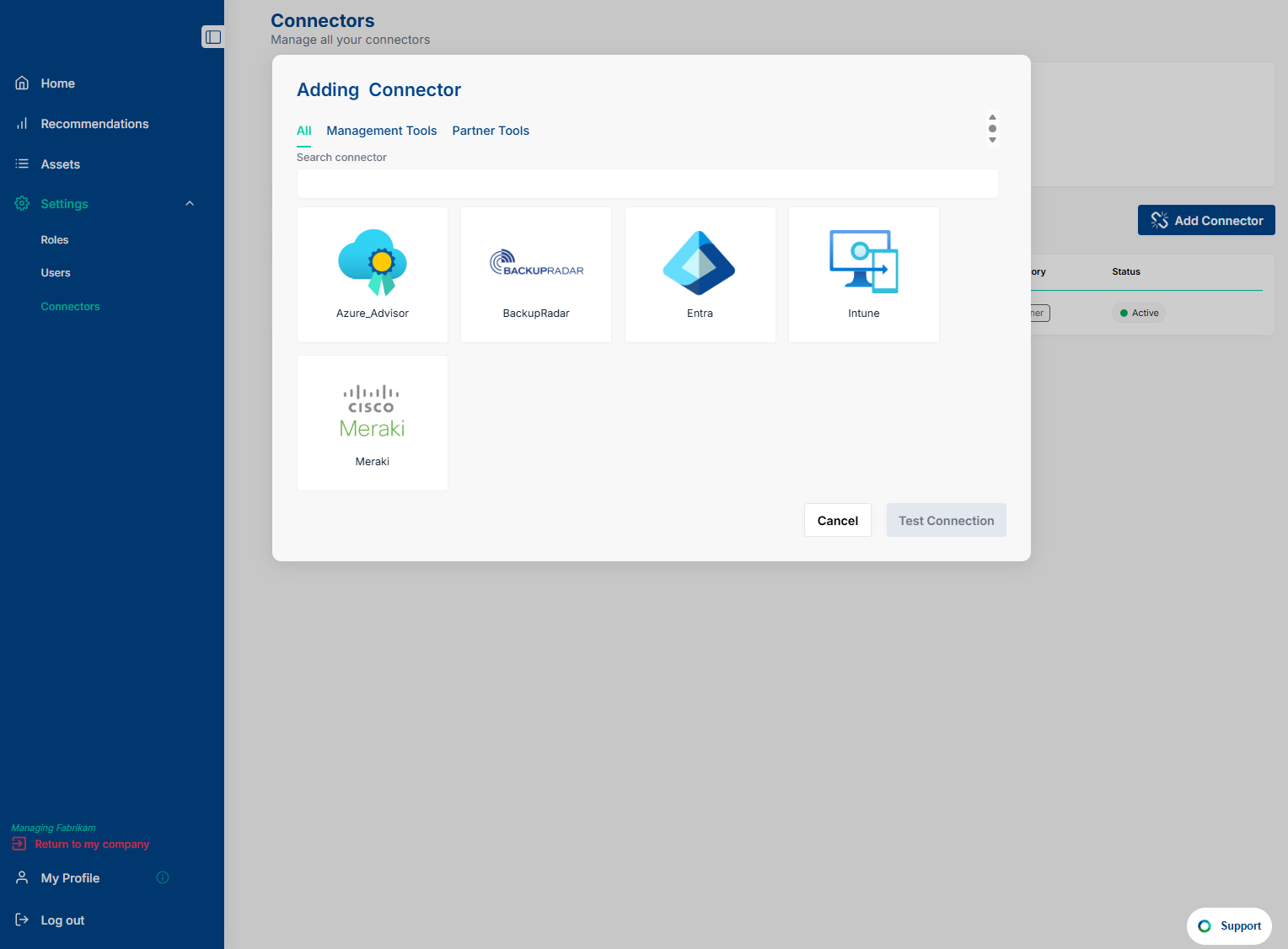
How to Setup a Data Connector
Use the links below for the Top 10 Data Connector setup instructions:
Backup Radar
https://support.paratira.ai/en/article/setting-up-the-backup-radar-connector
Cisco CCW
https://support.paratira.ai/en/article/setting-up-the-cisco-ccw-connector
Cisco Meraki
https://support.paratira.ai/en/article/setting-up-the-cisco-meraki-connector
Corestack
https://support.paratira.ai/en/article/setting-up-the-corestack-connector
LogicMonitor
https://support.paratira.ai/en/article/setting-up-the-logicmonitor-connector
Microsoft Azure Advisor
https://support.paratira.ai/en/article/setting-up-the-azure-advisor-connector
Microsoft Defender for Endpoint
https://support.paratira.ai/en/article/setting-up-the-microsoft-defender-for-endpoint-connector
Microsoft Entra
https://support.paratira.ai/en/article/setting-up-the-microsoft-entra-connector
Microsoft Intune
https://support.paratira.ai/en/article/setting-up-the-microsoft-intune-connector
ServiceNow
https://support.paratira.ai/en/article/setting-up-the-servicenow-cmdb-connector
For additional assistance, contact sanjay.subramaniam@paratira.ai