
Setting up the LogicMonitor Connector
Prerequisites - LogicMonitor Portal Access and API Setup
LogicMonitor process assistance visit: https://www.logicmonitor.com/support/adding-an-api-only-user
Log into your LogicMonitor portal with permissions able to create API credentials.
Create a User within the LogicMonitor.
Ensure that the User is enabled.
Ensure that it has a role with the appropriate data permissions to provide read only access (view permissions).
Create / Copy the following two credentials:
- Access ID (Client ID) – your API user’s Access ID
- Access Key (Client Secret) – your API user’s secret key
Note the following:
- Company – the subdomain part of your portal URL (
<x>.logicmonitor.com)
Step‑by‑Step Connector Setup in Paratira
Step 1: Log in to Paratira
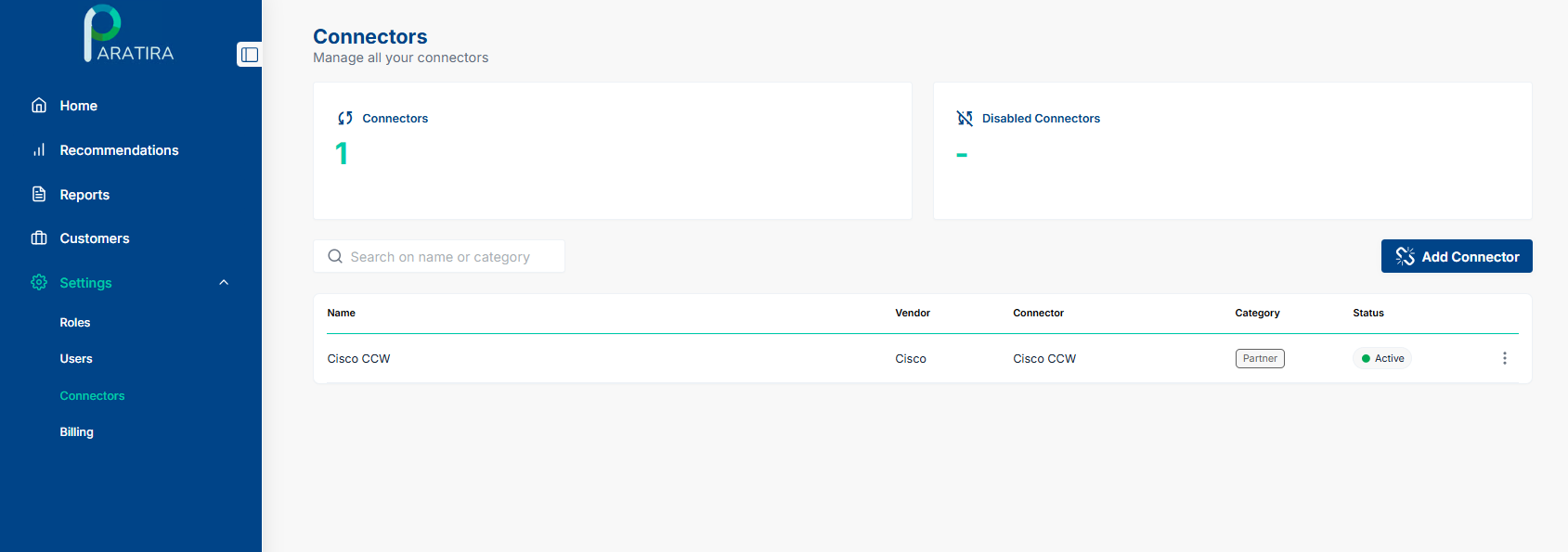
- Go to Settings then click Connectors
- Click Add Connector
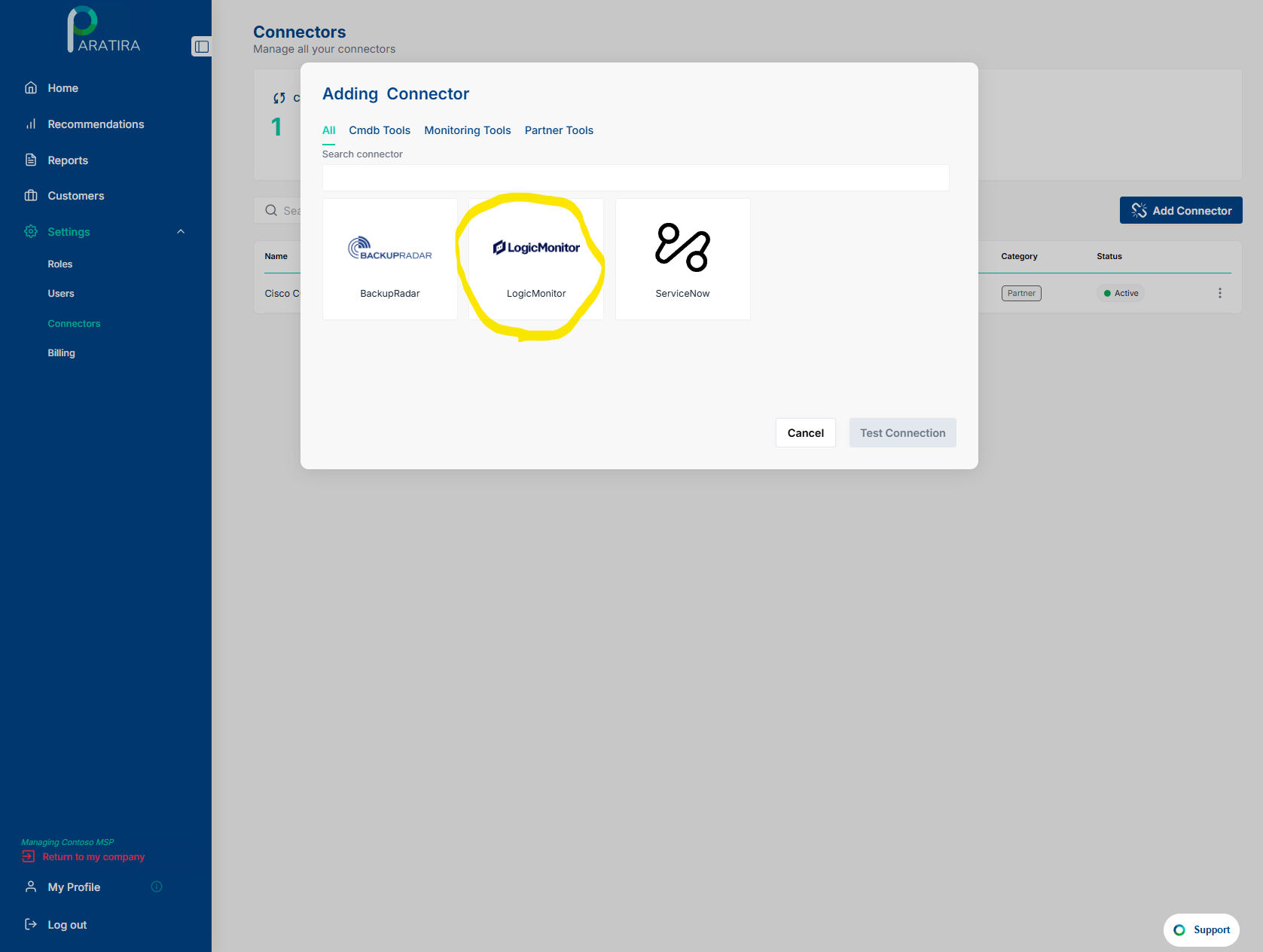
Step 2: Select LogicMonitor
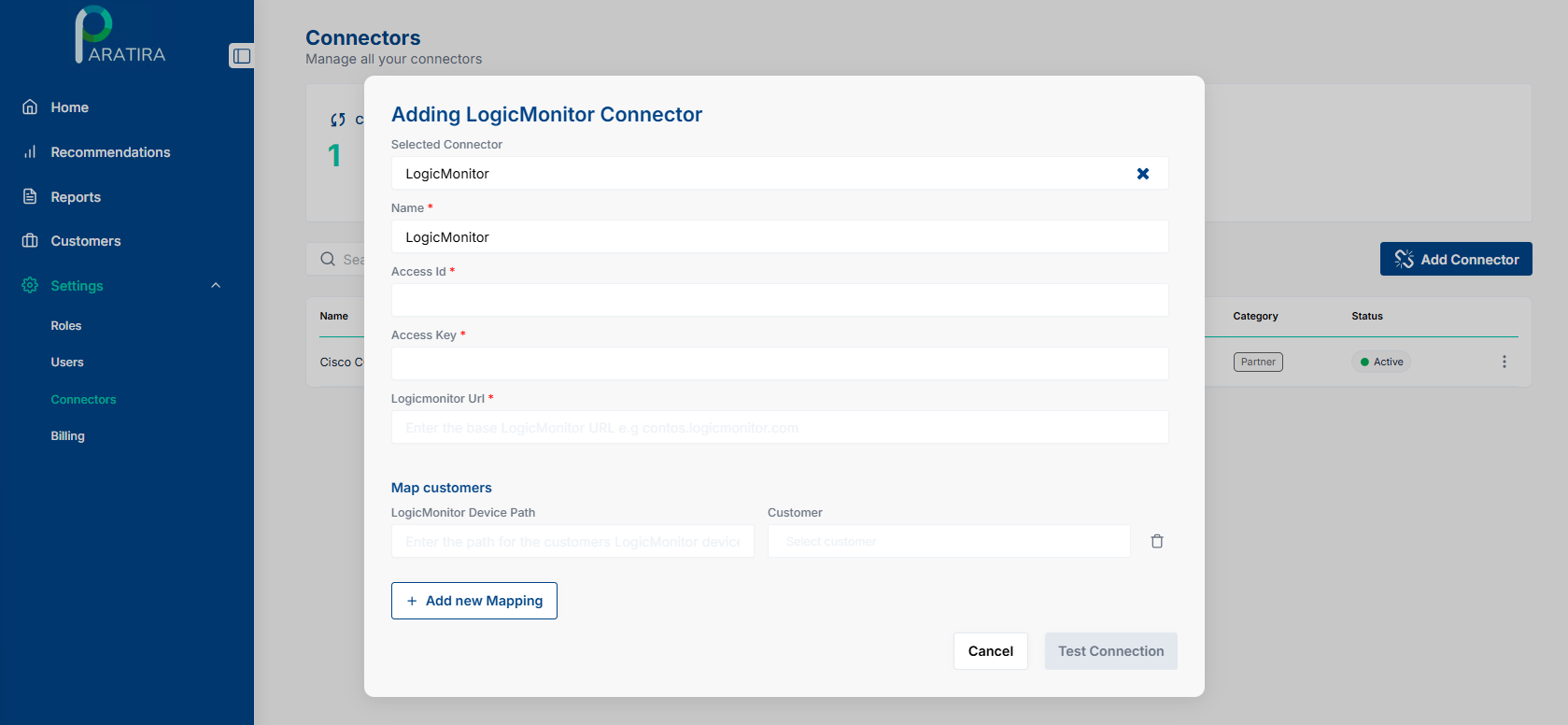
Step 3: Enter Connector Credentials
Using the credentials generated in the Prerequisites section above, enter the following:
- Name: Any friendly name of your choosing e.g. LogicMonitor
- Access ID: paste your client ID
- Access Key: paste your client secret
- Company: enter the “<x>” part of
<x>.logicmonitor.com
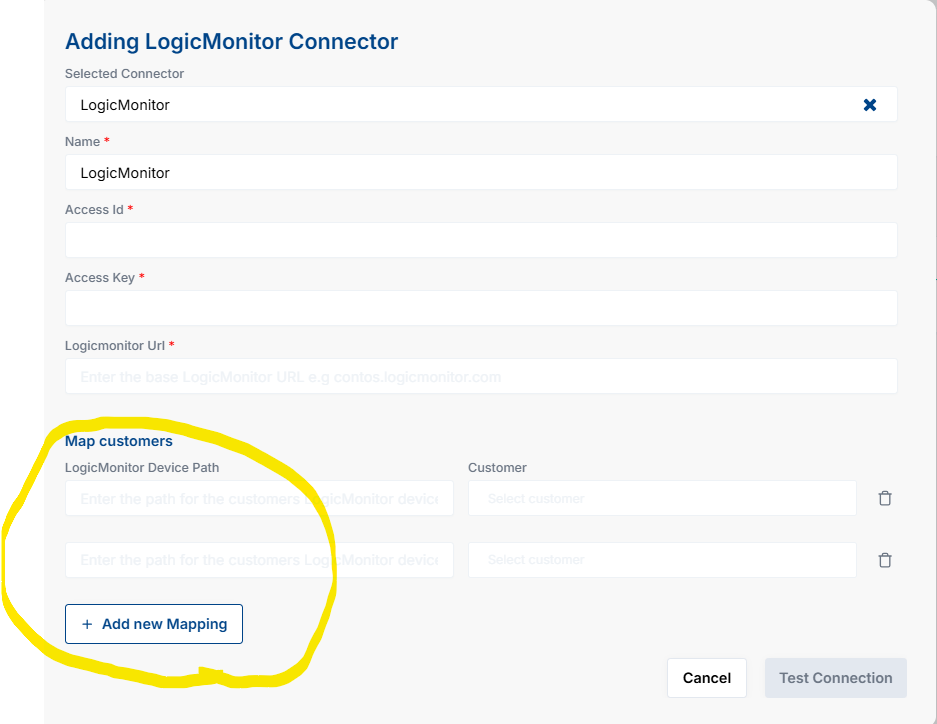
Step 4: Add Customer Mapping
Find Group ID in LogicMonitor:
- Log into LogicMonitor portal
- Navigate to Resources then expand the Resource tree
- Locate the top-level group for the customer (named per the customer)
- Expand it to find the All subgroup (if you have configured a custom folder mapping, then identify the folder of your choice)
- Click the group and then open its Info panel, copy the system.deviceGroupId
- Back in Paratira, link the Device Path (system.deviceGroupId) to the correct Customer Profile in Paratira
Step 5: Test Connection
Click Test Connection in Paratira
- Paratira will validate API access and LogicMonitor Device Path mapping
- This may take a few minutes
- If successful, click Next
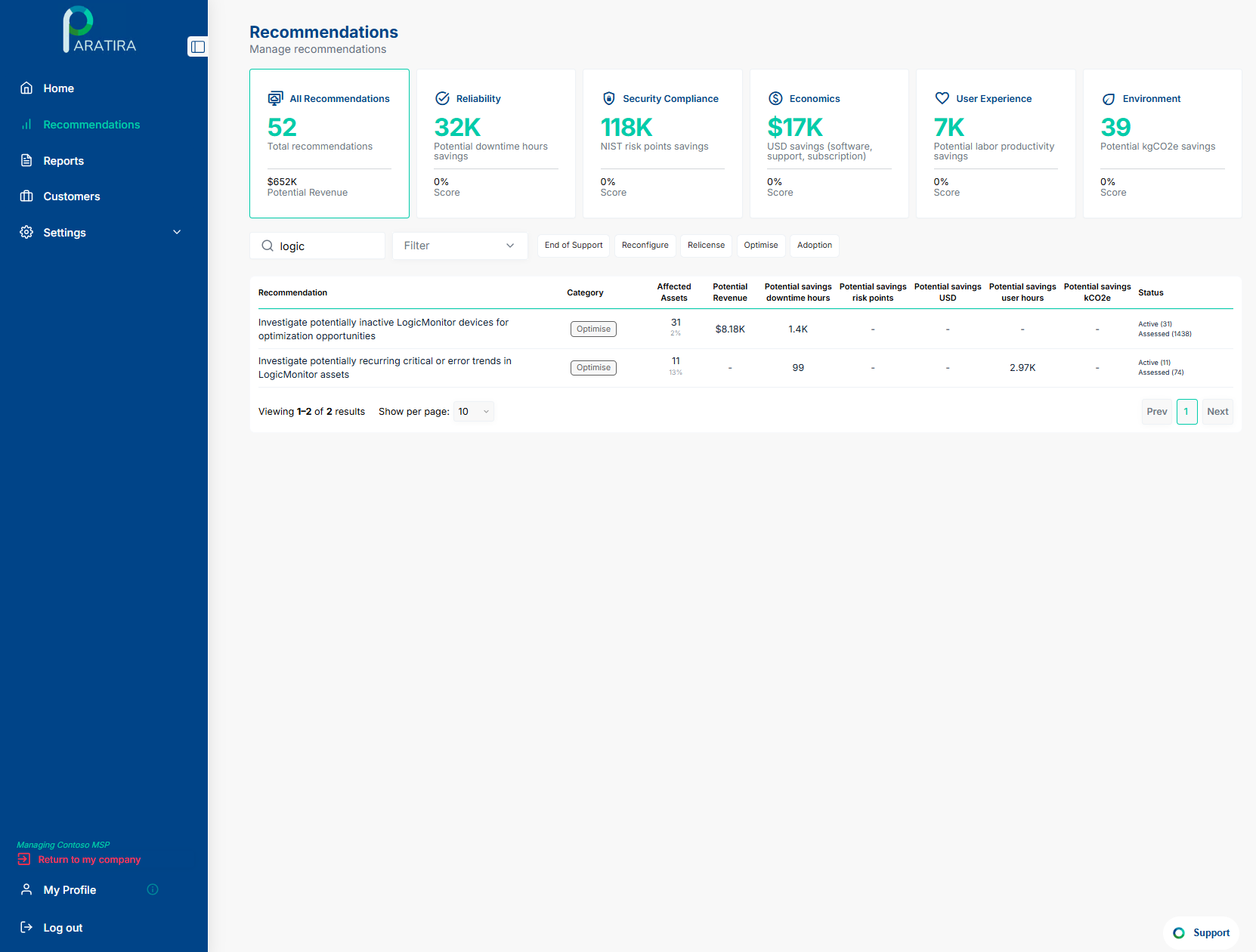
You can validate a successful LogicMonitor connection by viewing the Recommendations tab after 24 hours. The screenshot below illustrates two examples of LogicMonitor recommendations:
Support Resources
LogicMonitor’s support site: Resource group documentation, API endpoints and UI guidance.
- https://www.logicmonitor.com/support/devices/device-groups/device-groups-overview
- https://www.logicmonitor.com/support/devices/device-groups/adding-device-groups
For additional assistance with setting up your LogicMonitor connector, email: sanjay.subramaniam@paratira.ai