
How to Upload the Cisco Install Base Data
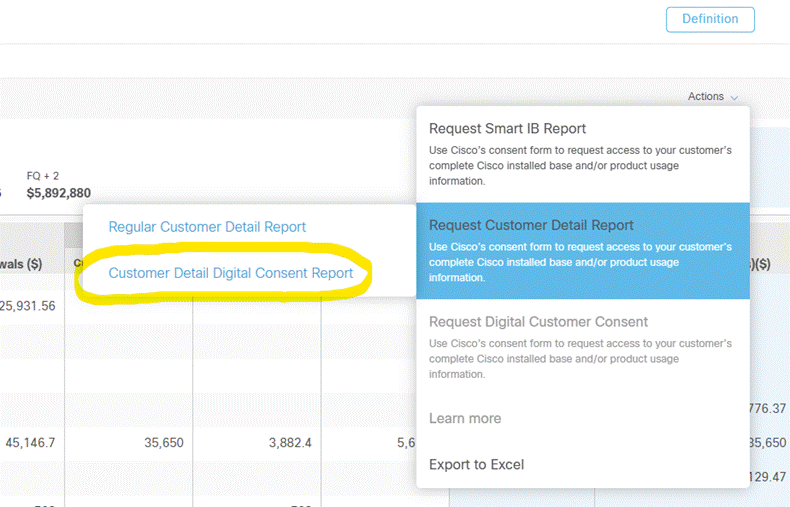
The steps to download the “Customer Detail Digital Consent Report” are as follows:
- Log into: https://crpartners.cloudapps.cisco.com/
- Click Digital Consent Repository (Note the customer needs to sign the Customer Consent for reports to be made available)

- Select the customer
- Click Actions and select Request Customer Detail Report
- Select the ‘Customer Detail Digital Consent Report’ out of the two options

Once the email has been sent by Cisco click Download Report