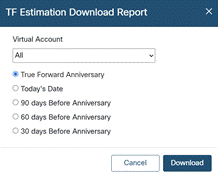
How to Upload True Forward Information
In order to get a fresh True Forward report for the EA Subscription,
- Navigate to Cisco Subscription Workbench: https://ccrc.cisco.com/subscriptions/landing
- Look for an EA Subscription using ID. They are marked with "EA3-M" or "ELA2" in the Offer Name on the list.
- Click on ID to enter the subscription
- Click on "View Consumption Details" at the top right part of the page
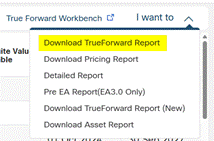
- On the Buying Program overview, find "I want to" dropdown at the top right part of the page
- Download TrueForward Report

- Click "Download"